.png)

TL;DR
Changing priorities aren't the real problem, unclear communication is. The fastest way to keep teams moving:
- Acknowledge when something shifts
- Clarify what matters now
- Keep one shared place where the truth lives
- Explain the "why," not just the "what"
- Make space for the emotional side
Teams adapt quickly when expectations are clear, context is shared, and the workflow isn't scattered across 10 different places.
You know the feeling
You walk into the day ready to finish the thing you planned yesterday. Coffee in hand, tabs arranged just right, Shortcut board open. The plan feels achievable. You're already imagining the dopamine hit of dragging that card to "Done."
And then… ping… a Slack message lands:
"Hey, quick shift. Can we jump on this instead?"
In one moment, the work you were supposed to finish today becomes "maybe next week." Maybe a customer escalated a bug, or a sales conversation unlocked a new requirement.
This is the real world of product development: priorities move faster than your Kanban columns, and even well-planned weeks can unravel before lunch.
It's not the change itself that slows teams down. It's unclear change, the kind that trickles through Slack threads, private DMs, meeting notes, and hallway conversations until no one is completely sure what's important anymore.
But shifting priorities don't have to derail momentum. Here are 5 things that actually help when everything feels like it keeps moving.
1. Acknowledge the shift quickly
Teams rarely get stuck because something changed. They get stuck because no one said it changed.
People keep working heads-down on the old plan, not because they disagree, but because they don't realize the ground has already moved beneath them.
A fast, clear update solves this:
- "This is now our top priority."
- "This work can pause."
- "We're switching direction and here's what changed."
It doesn't need to be a formal meeting or a giant announcement. A short Slack message, a couple of sentences in stand-up, or a quick update to the board goes a long way.
Clarity delivered early prevents hours (or days) of quiet drift.
2. Use the simple two-bucket system
When everything feels equally important, nothing actually gets done. The two-bucket system helps teams stay focused without overcomplicating prioritization.
Bucket 1: Must ship now
Work tied to customer impact, revenue, reliability, a team being blocked, or a deadline that truly matters. This isn't "urgent because someone said so." This is "urgent because the business or customer actually feels it."
Bucket 2: Can wait
Important, but not immediate: nice-to-haves, longer-term improvements, future-readiness work, low-risk items. These shouldn't get lost. They simply shouldn't crowd the work that genuinely matters today.
It takes minutes to sort and removes hours of uncertainty.
3. Pick one place for "the truth right now"
Shifting priorities become painful when they live everywhere: Slack, Google Docs, backchannel messages, someone's brain, or "that one meeting last Tuesday."
Teams can't trust a plan that moves but isn't documented.
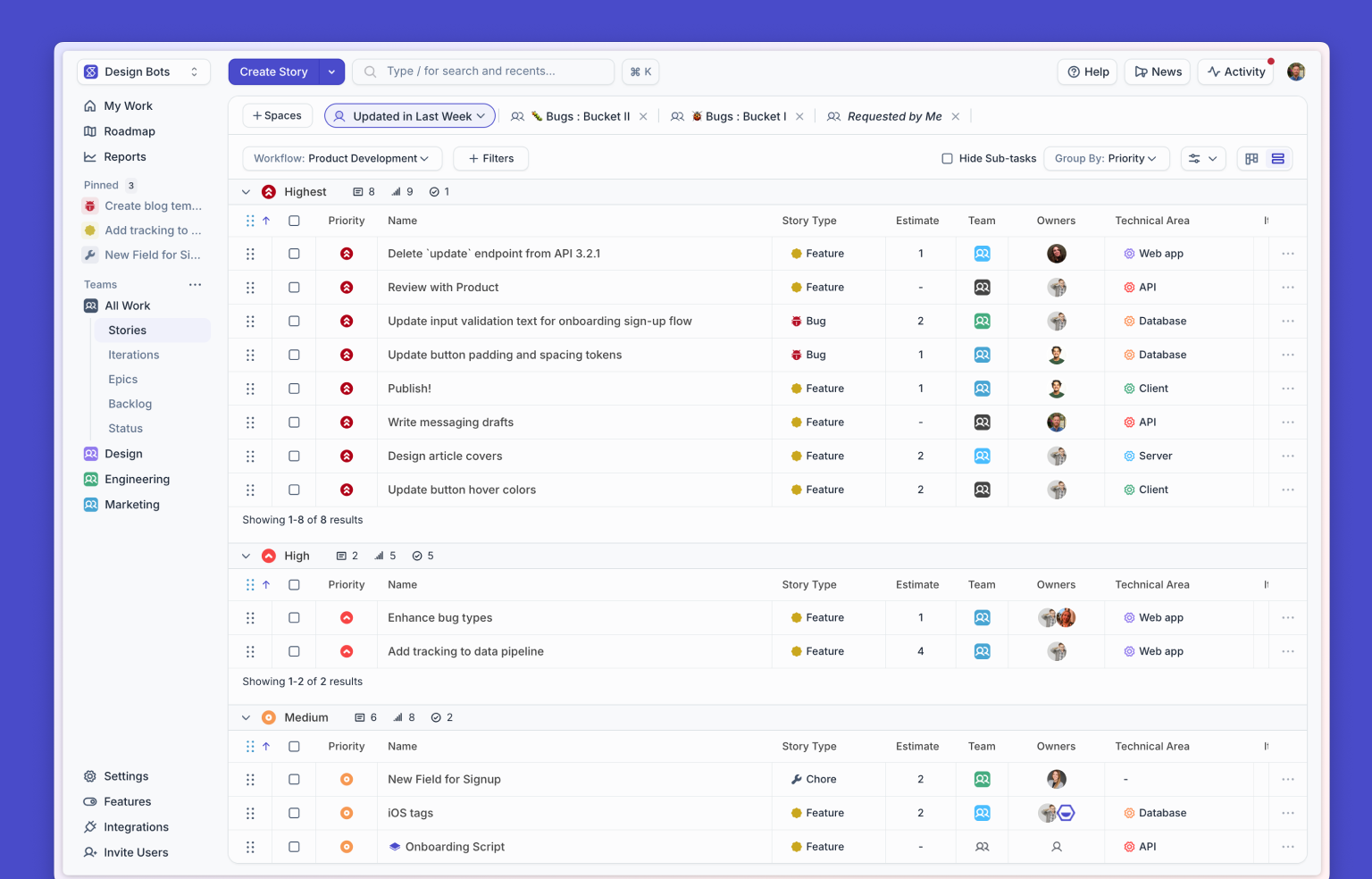
Whether it's a Shortcut board, workflow, Roadmap, or triage lane, what matters is consistency: one place to check, one place to update, one place everyone trusts.
When people know exactly where to look, shifting priorities become manageable instead of mysterious.
A centralized home reduces churn, eliminates repeat conversations, and keeps the entire team aligned on the same reality.
Tools like Korey can help here, too. Korey turns rough ideas or half-written notes into clear, structured Stories, and can hand work off to your coding agents so nothing stalls when the plan shifts. It keeps the work moving even when the priorities do.
4. Share context, not just instructions
"Switch to this instead" feels abrupt.
"Here's why we're shifting" feels human.
Context turns disruption into alignment. Share what changed, why it changed, what the new plan means for the current cycle, what tradeoffs the team is making, and whether the change is temporary or long-term.
A little context does more than smooth things over. It helps teams make better decisions autonomously.
When people understand the "why," the "what" stops feeling personal or random.
5. Acknowledge the emotional side
Shifting priorities don't just reshape work, they reshape energy.
You know the vibe: the unfinished PR still open, the suddenly-expanded scope, the "didn't we just do this?" deja vu.
It's normal for teams to feel frustrated or tired when plans keep moving. A simple, honest check-in goes a long way:
"Yep, this is annoying. Here's why we're pivoting and here's how we're supporting each other through it."
People don't need perfection. They need clarity, honesty, and a sense that everyone is on the same page.
Teams adapt fast when they feel informed and supported, and even faster when they feel seen.
FAQ: Handling Constantly Changing Priorities at Work
Why do priorities change so often in product development?
Because customer needs shift, new information appears, and business goals evolve. Fast-moving teams constantly adjust based on what's most valuable or most urgent.
How do I stay focused when priorities keep changing?
Keep one place where the current plan lives, and check it frequently. Even small, consistent communication helps reduce second-guessing and rework.
How do I communicate a priority change without frustrating the team?
Share the "why," not just the "what." Context helps people understand the reasoning behind the shift and reduces resistance.
What causes confusion when priorities shift?
Confusion happens when changes are scattered across Slack, docs, comments, and conversations instead of being captured in a single, trusted workflow.
How can tools like Korey help here?
Korey turns rough ideas, partial notes, and design mocks into clear Stories and hands work off to coding agents, helping teams keep momentum when the plan moves quickly.
What's the best way to prevent work from getting lost during fast changes?
Document every shift in one consistent place: a board, workflow, or Roadmap. This gives the entire team the same view of what matters right now.
Changing priorities aren't going anywhere
Constant change is part of the job in product development. But confusion doesn't have to be.
When teams have clear updates, shared context, one home for current priorities, and space to process the change, shifting priorities stop feeling chaotic and start feeling like a normal, healthy part of moving a product forward.
If your team is still juggling priorities across Slack, docs, side conversations, and semi-updated boards, you don't need more meetings or more rigid process. You just need a reliable place to capture the work as it changes.
Try Shortcut
Shortcut gives teams an enjoyable, intuitive way to stay aligned, even when the plan moves daily. It keeps priorities visible, helps teams share context quickly, and makes it easy to understand what matters right now without digging through ten places to find it.
If your team wants a calmer, clearer, better way to work through shifting priorities, Shortcut is built for exactly that.

%20(788%20x%20492%20px)%20(1).png)
.png)