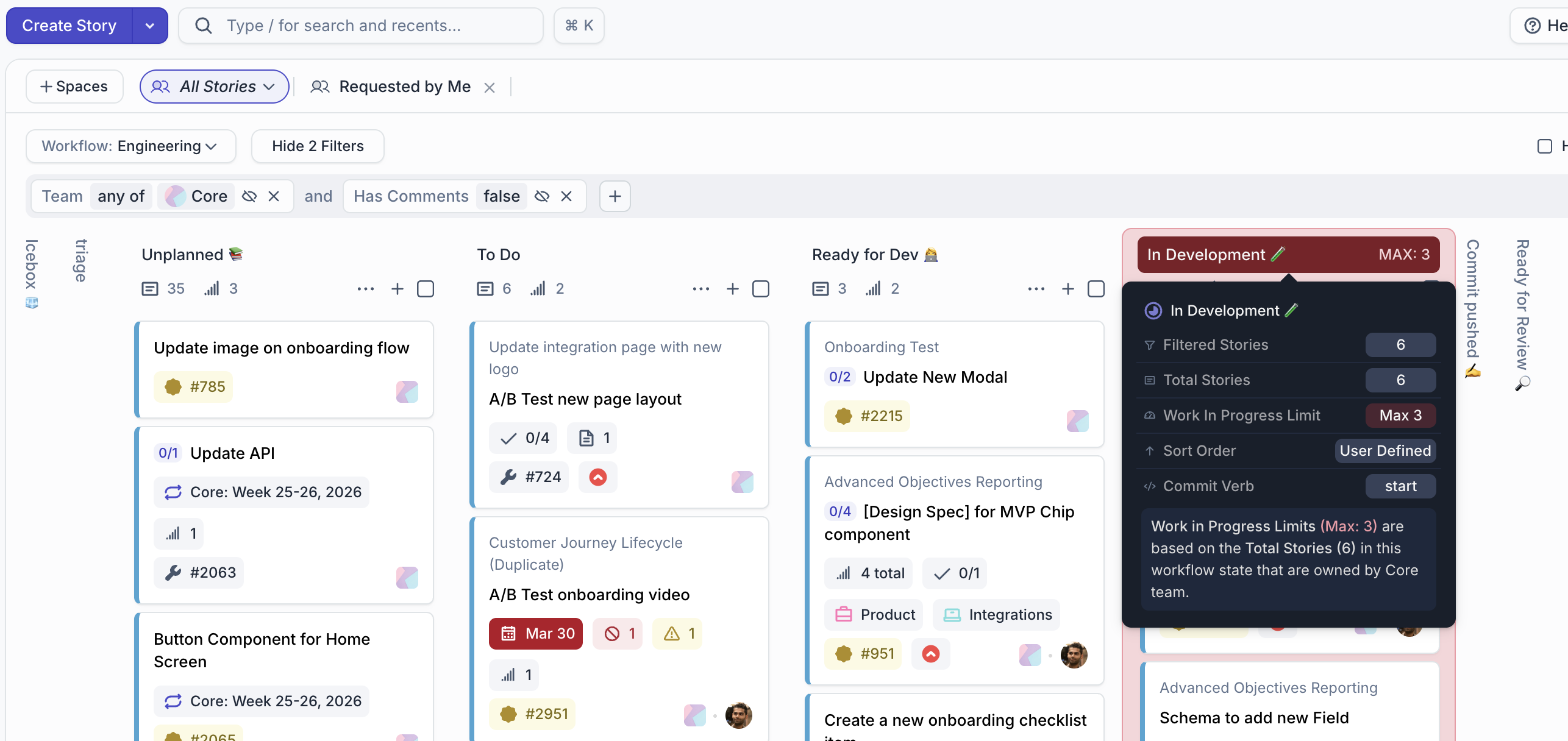
Work In Progress (WIP) Limits cap the number of Stories a Team can have in development simultaneously, preventing context switching and maintaining focus. Set WIP limits on the Started state to encourage completion before taking on new work.
When to Use WIP Limits
WIP limits are especially valuable for:
- Kanban teams: Limiting concurrent work keeps flow steady and quality high
- High-context work: Design or deep engineering where context switching is expensive
- Overloaded teams: A hard cap forces prioritization and makes overcommitment visible
WIP limits are optional; they’re enforcement, not prophecy. A team without WIP limits can still operate effectively with discipline and good prioritization.
Setting WIP Limits
WIP limits are configured per Team-Workflow pair. Only Administrators can set or modify WIP limits.
To set WIP limits:
- Navigate to Settings > WIP Limits
- Select a Team and Workflow
- Set limits on the Unstarted and/or Started states
- Click Save
The most common configuration is a limit on Started: for example, “no more than 8 Stories in Started per team.” This forces the team to finish or deprioritize work before pulling in new tasks.
You can also set a limit on Unstarted (e.g., “no more than 3 Stories per person”) to constrain the commitment tier without hard-capping progress.
Viewing and Enforcing WIP Limits
WIP limits appear as a count indicator on the Team’s Stories page, under the affected state column header. If the team is at or over the limit, the count appears in red, signaling that new work should wait.
Click Edit WIP Limits from the column ellipsis menu to quickly adjust limits without navigating to Settings.
Note: WIP limits are advisory; Stories can still be moved into a limited state if you explicitly choose to. The limit is a signal and conversation starter, not a lock. Use it to prompt sprint planning discussions: “We’re at WIP; what should we finish before pulling this in?”
Best Practices
- Start conservative (low limits) and increase if the team feels constrained; WIP limits are most valuable when they force conscious prioritization
- Review WIP limits during sprint retros; adjust if your team’s capacity or context-switching costs have changed
- Communicate limits to new team members so they understand the team’s working agreements