The GitLab integration links Shortcut Stories to commits, branches, and merge requests. It supports GitLab.com and publicly reachable self-managed GitLab installations running version 9.5 or later.
Install the GitLab Integration
Only Shortcut Admins and Owners can activate the integration.
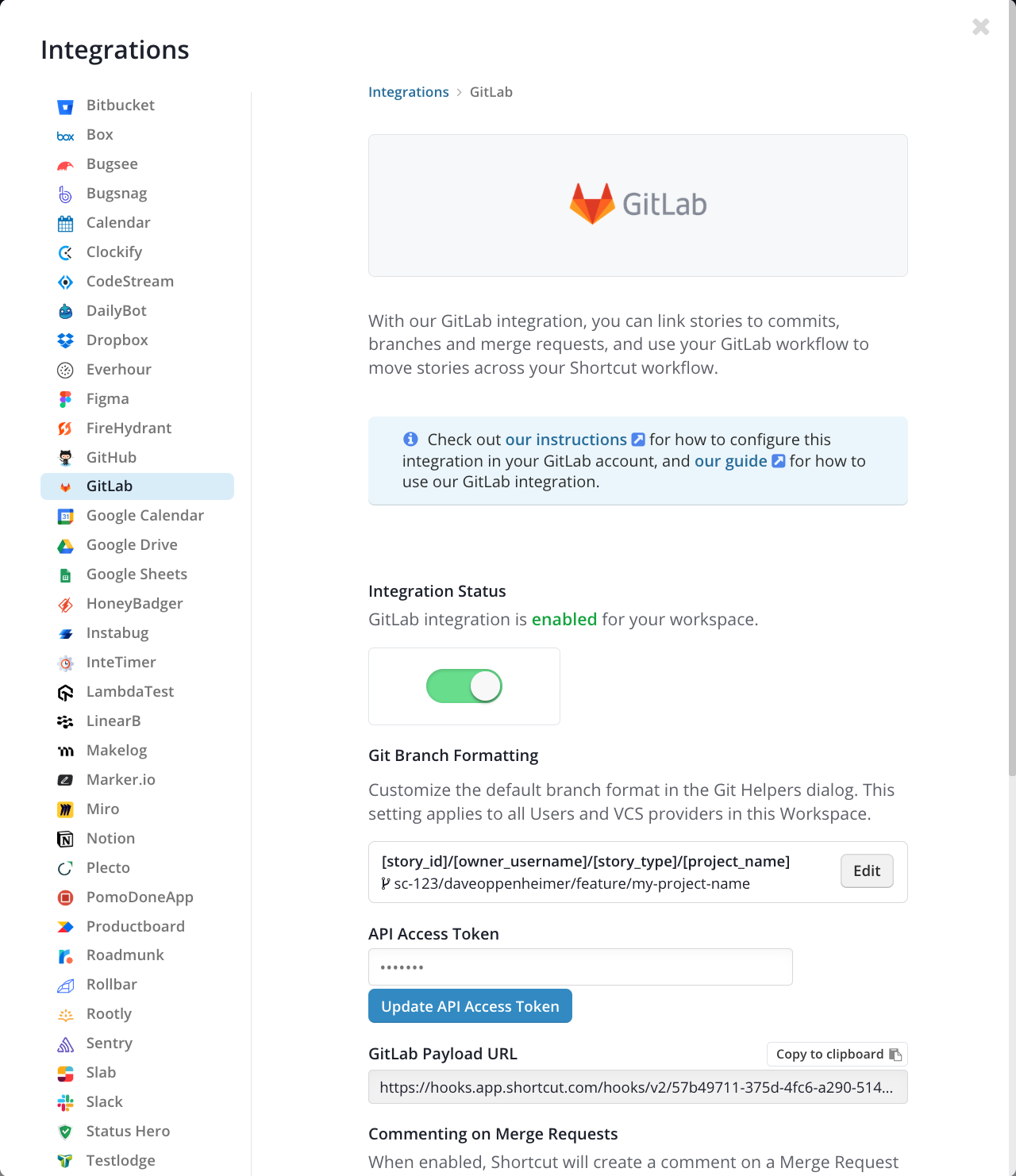
- In Shortcut, open Integrations > GitLab, enable the integration, and copy the GitLab Payload URL.
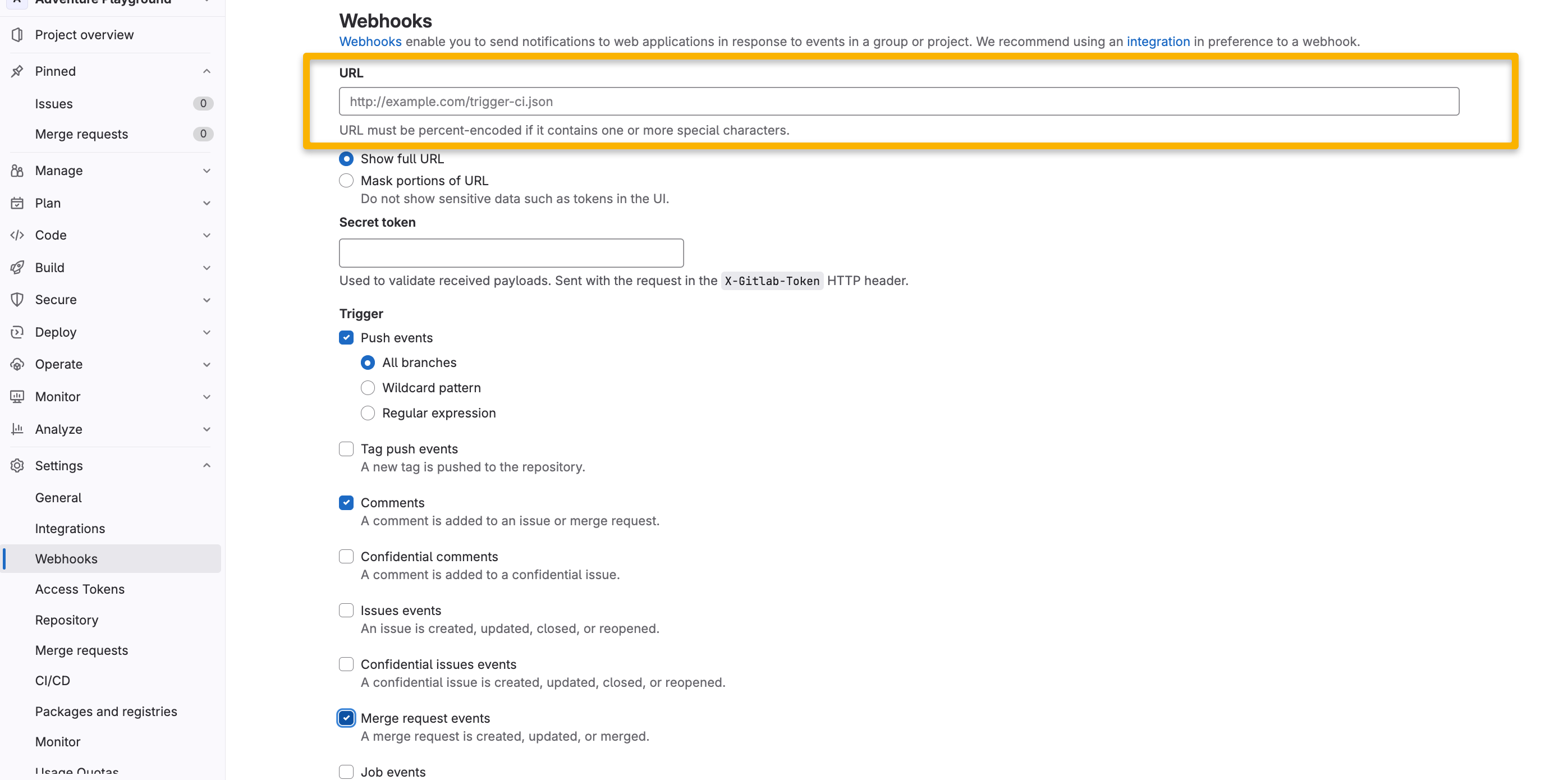
- In GitLab, open the Project or Group and select Settings > Webhooks.
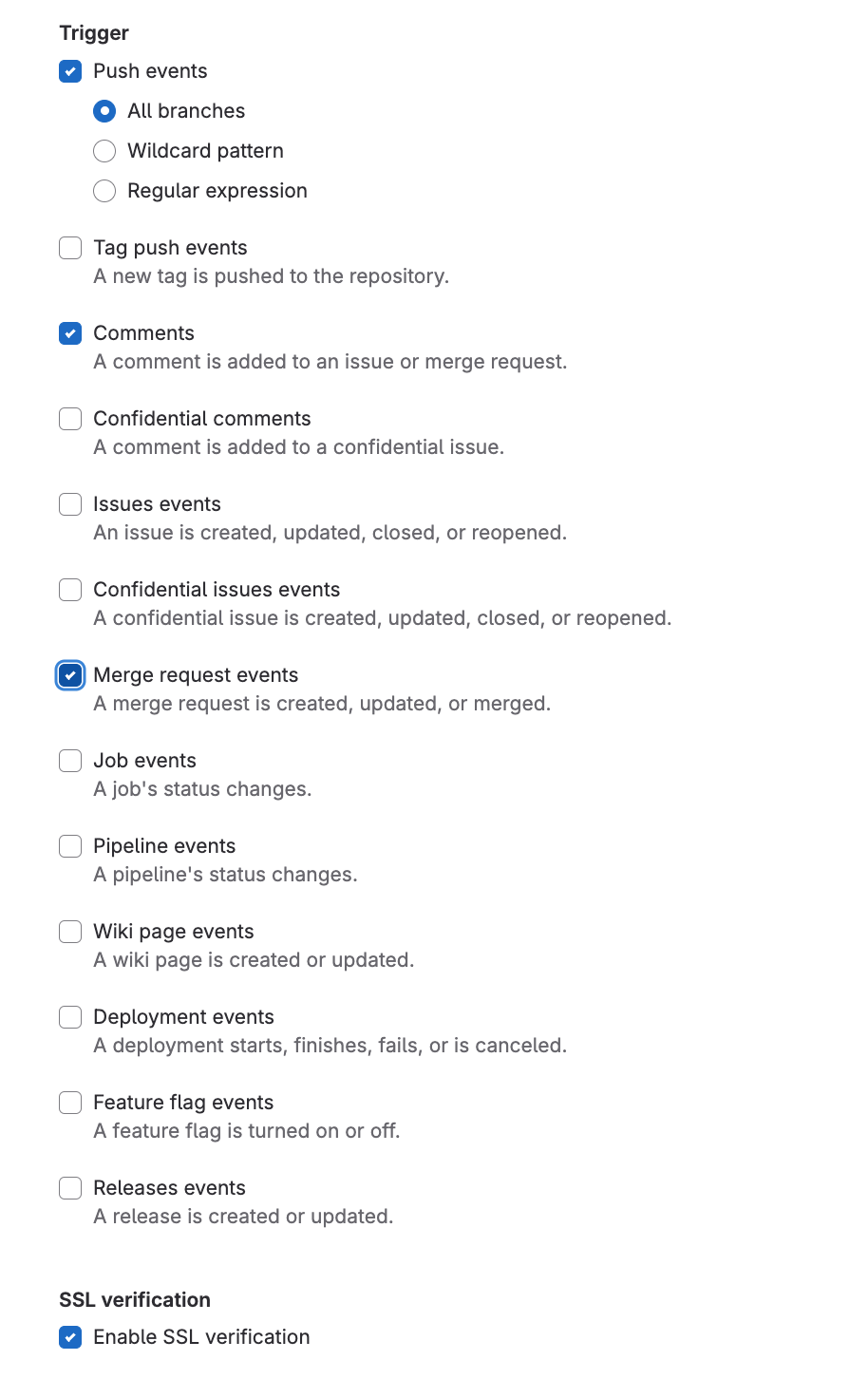
- Paste the Payload URL and enable Push events, Comments, and Merge request events. Confidential comments are optional.
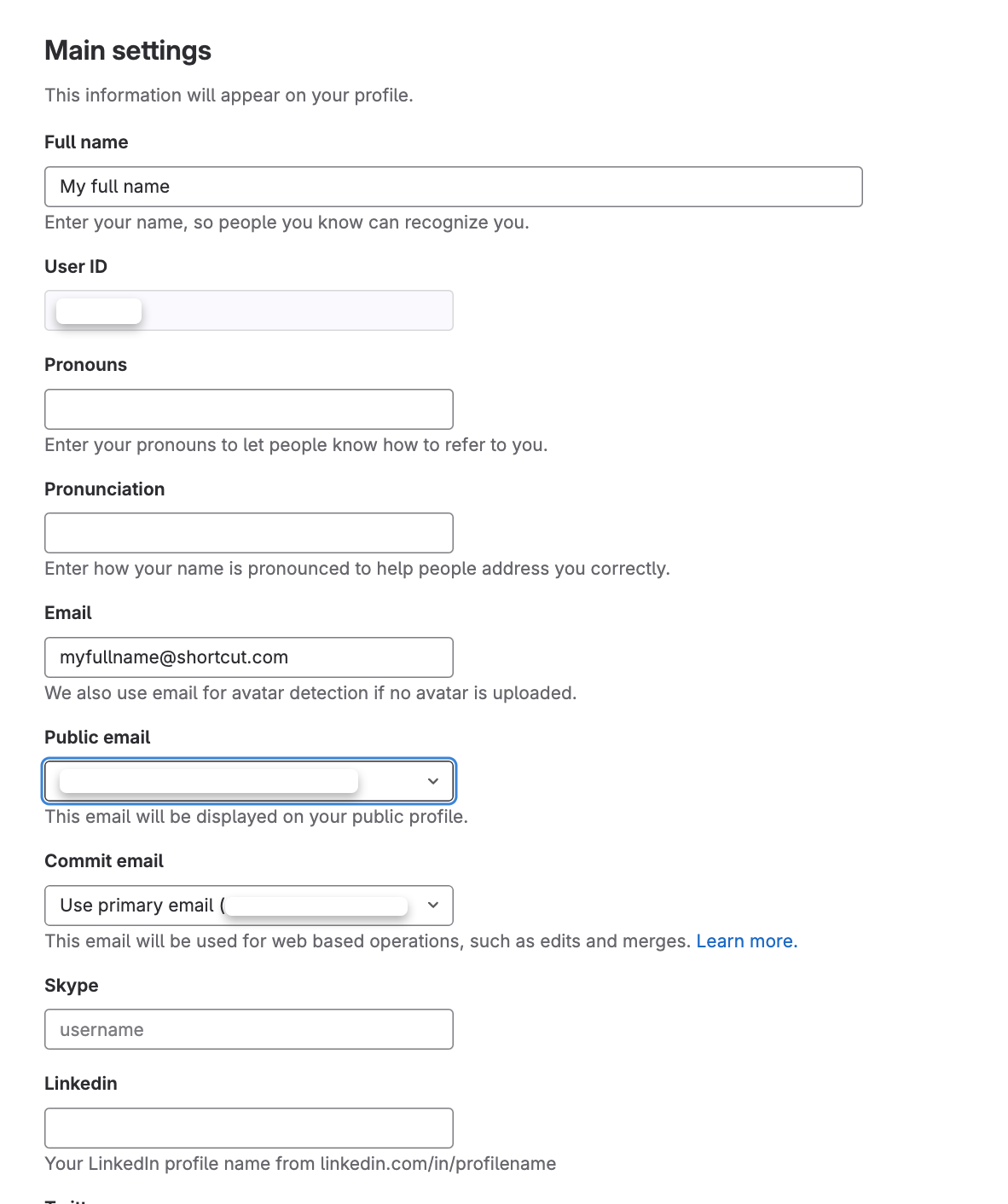
- Make each member’s public GitLab email match an email in their Shortcut profile.
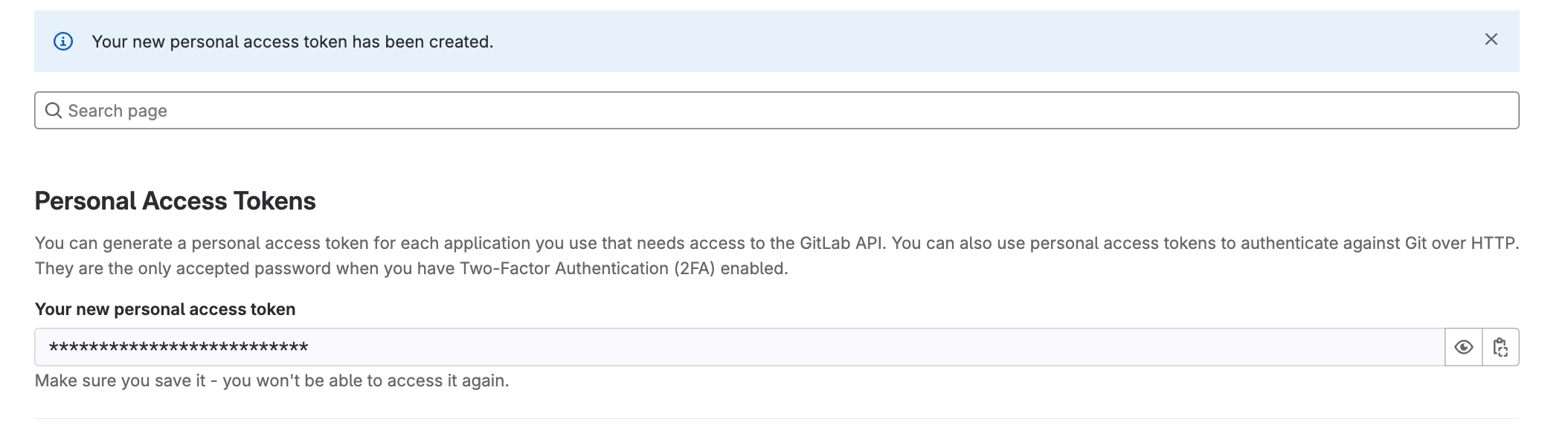
- Create a GitLab personal access token with API access. A dedicated bot user with Developer access to the connected Projects is recommended.
- Paste the token into the GitLab integration page in Shortcut and save it.
For shared guidance on commits, branches, merge requests, and event handlers, see Using VCS Integrations.