Overview
The Shortcut calendar integration allows everyone in your Workspace to keep track of due dates from Shortcut in your calendar. Shortcut due dates can be integrated with Google Calendar or a standalone calendar (e.g. Outlook, iCal, etc.) and are a one-way sync: due dates from Shortcut are communicated and updated to your calendar, but not the other way around.
The Calendar Integration is only available for Organizations on a Paid plan. The Free plan is a great way to test out Shortcut, but when you’re ready to bring in more users and/or try new features, we have a plan for you.
Turning on the Calendar Integration
Access Shortcut settings from the gear icon: Integrations > Calendar. Make sure your Integration Status button is toggled to the “on” position.
Once a Story or Epic is archived, marked as complete, or if the due date is 90 days in the past, it will no longer be shown in your calendar.
Connecting Shortcut Due Dates to Your Calendar
Once you have the Calendar Integration turned on, Shortcut will produce iCal links for the due dates of any Story you own as well as all due dates across your Workspace and Workflows.
iCal links for individual Objectives and Epics can be found on their respective pages.
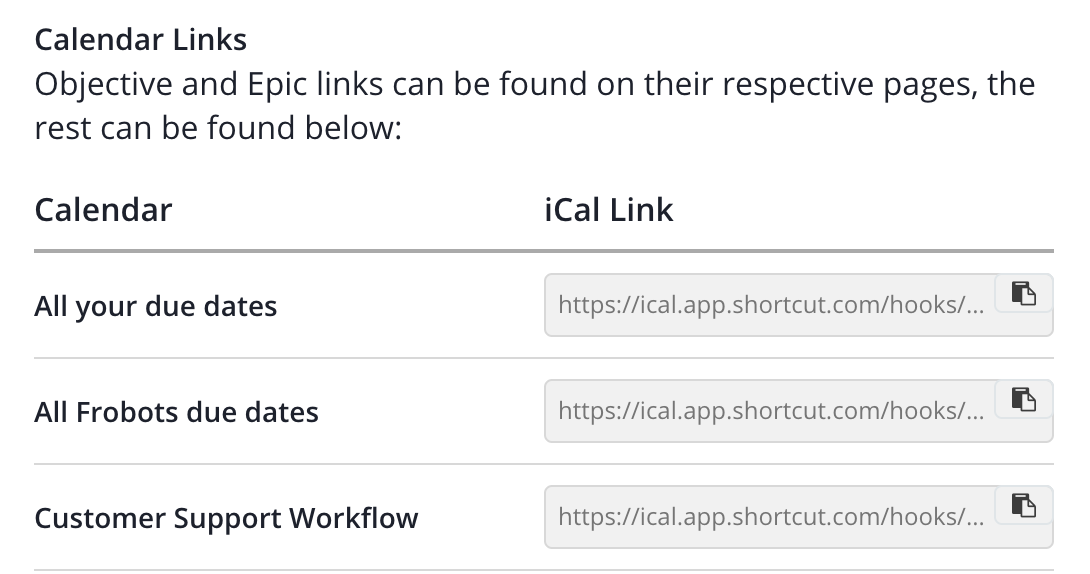
These are public iCal URLs. Anyone who has one can view the title of your Shortcut due date group, its URL, and its due dates.
Adding iCal to Your Calendar
To add your Shortcut iCal link to Google Calendar, see the Google Calendar integration for step-by-step instructions.
For other calendar applications (Outlook, Apple Calendar, etc.), consult the documentation of your specific calendar software for how to subscribe to an iCal/ICS URL.