Overview
Bring YouTube into Shortcut with this link preview integration. Users can paste videos from YouTube to see real-time videos in markdown editors, including comments. The YouTube Integration requires no setup - it works out of the box with any shareable link from YouTube.
Key Features
- Embed YouTube videos in Shortcut Stories, comments, Epics, Objectives, Iterations, and Docs
Use Cases
- Planning - Better support of planning by providing video embeds that keep product and engineering planning and work in sync
- Documentation - Add explainer videos to Shortcut Docs for technical documentation
How It Works
Using the YouTube Integration in Text Fields
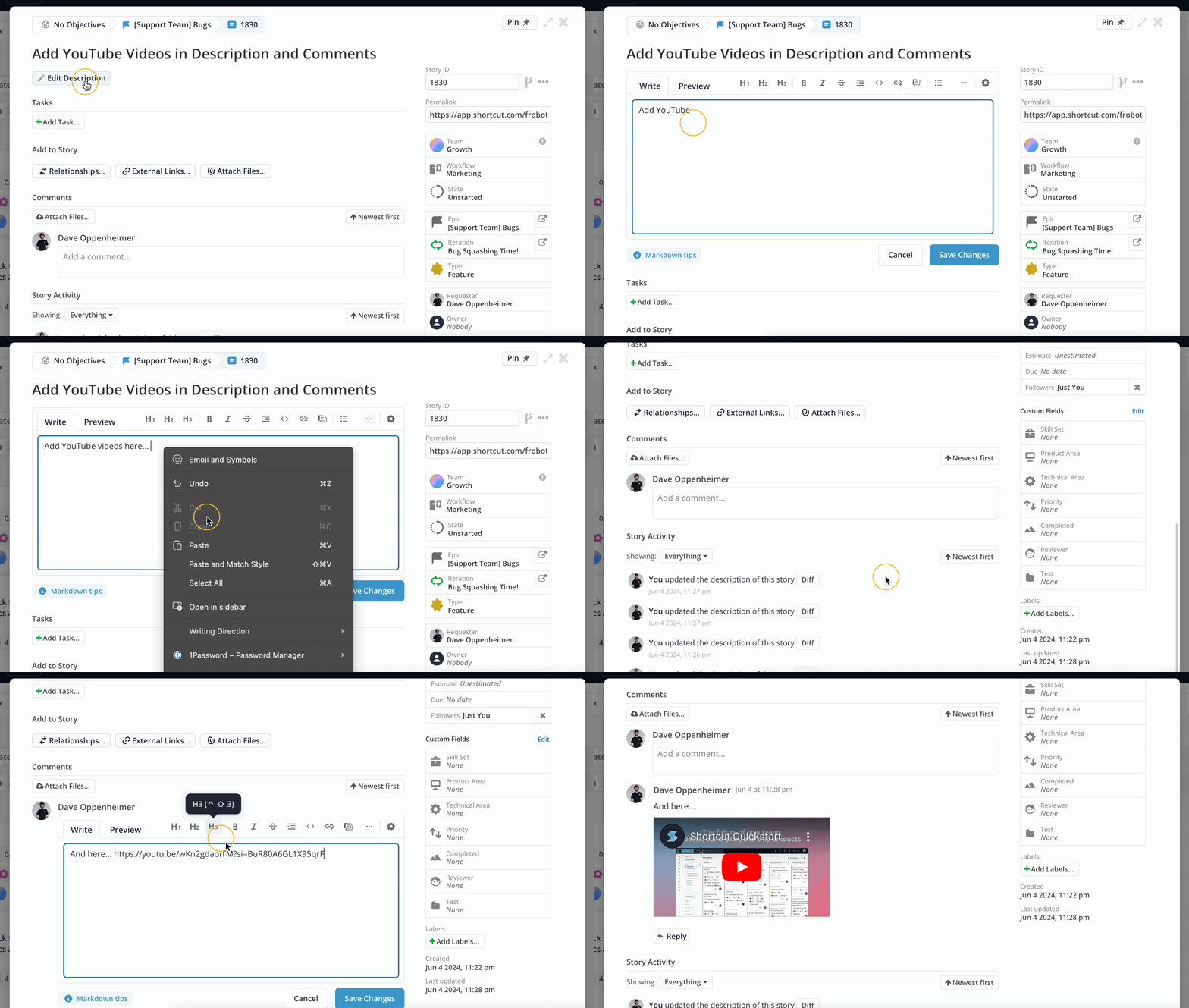
- Copy the YouTube video link using the Share option on the YouTube video page
- Paste that link into any of these text fields in Shortcut:
- Story description and/or comment
- Epic description and/or comment
- Objective description
- Iteration description
- Shortcut Doc
- Project description (if applicable to your Workspace)
- Preview or save your change - your YouTube URL will show as an embedded preview of the linked YouTube video:
Using the YouTube Integration in Docs
- Copy the YouTube video link using the Share option on the YouTube video page
- Paste that URL link into a Doc in Shortcut
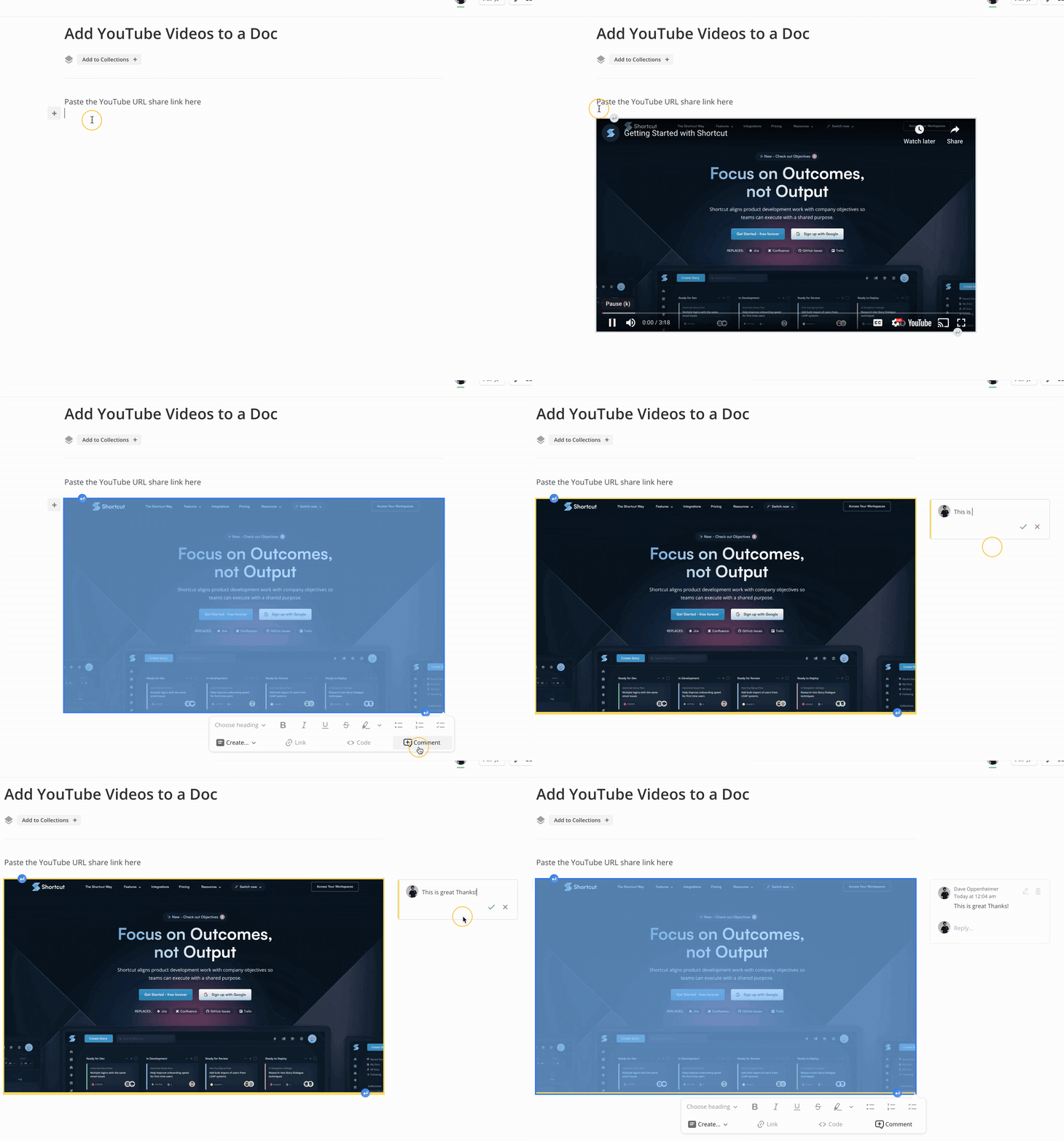
- Your YouTube URL will show as an embedded video:
- You can use all the normal functionality of a YouTube video in your browser
- Dragging your mouse and highlighting the video will allow you to create a comment thread